Embeddable Widgets: A Calculator on Any Website That Brings Clients and Links
A window company’s website usually tells visitors to call for a price, and most of them leave to look elsewhere. These widgets put a working calculator on the company’s own pages - with its own prices or with the subsidy maths visitors ask about - and send the enquiries into its CRM.


The Challenge
A typical window company website is a brochure: photos, a list of profiles, a contact form. The visitor’s real questions - how much will this cost me, what grant can I get, what does the building code require where I live - get the same answer: call us.
Building those tools for each company separately is expensive, and keeping subsidy rules and regional data current on dozens of sites is not realistic. The goal was to build the tools once, host them centrally, and let any company in the trade put them on its own website with a copy-paste snippet. For Estimia, which hosts them, every embed also had to bring something back: a visible, followed link to its site.
Our Estimia case study lists these widgets in a few lines; this one shows how they work.
The Dealer Calculator with the Dealer’s Own Prices
The main widget is the professional window calculator - the same one dealers use inside the Estimia CRM - packaged as a web component that runs on any website. The company adds a stylesheet, a script and one <pvc-master> tag to a page, and its visitors get the full builder: window templates, splits and openings, profiles, glazing, colours, sills, shutters, nets, and a price that updates with every change.
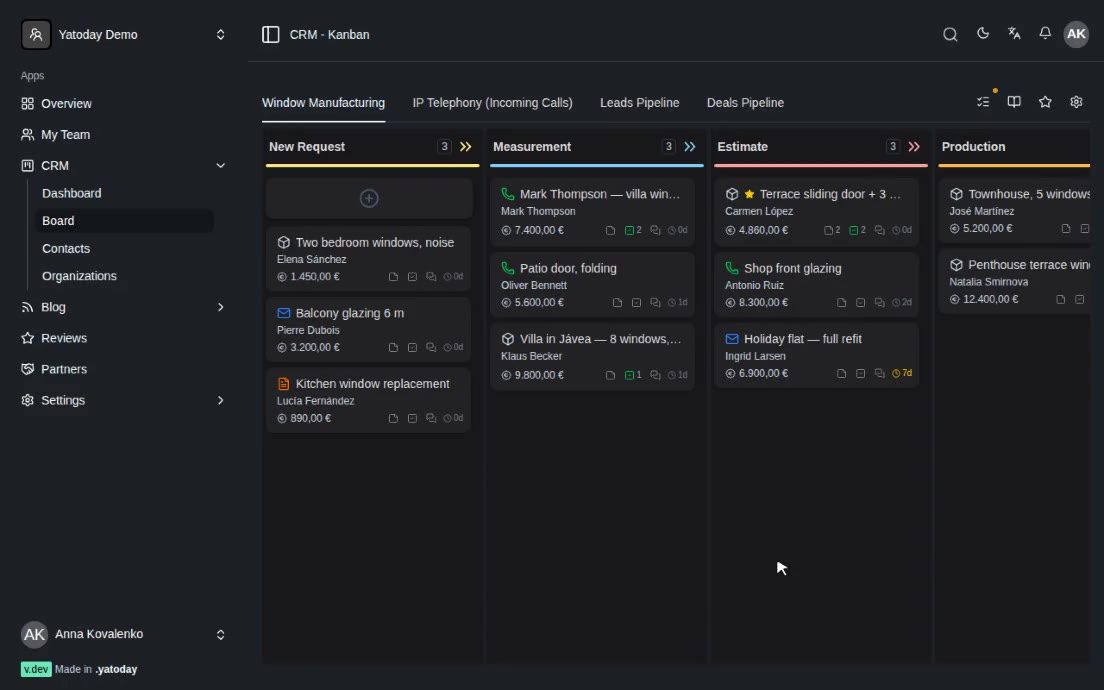
The price is the company’s own. In live mode the widget loads that company’s catalogue and margins from the platform, already fully resolved, so the calculator on the website quotes exactly what the sales team would quote in the office. When the visitor presses “Request quote”, a short contact form opens, and the configured windows arrive in the company’s CRM as a new order in the first pipeline stage, marked as coming from the widget and carrying the page it was sent from. The sales team opens an order with the windows already specified.
Each company works with a licence key locked to its domain. A company admin generates keys in the settings, copies the ready snippet, and sees the key only once. The server checks the requesting domain against the key before it hands out the catalogue or accepts a lead, and a key with no domain configured is refused in production.
So that the widget and the host site’s styles do not break each other, every style in the bundle is scoped under the widget’s own container, dark mode switches only by an explicit attribute, and the brand colour comes from a single CSS variable, so the widget picks up the company’s colour without touching anything else on the page. The 3D viewer is deliberately left out of the embedded build to keep it light.
There is also a demo mode with no licence. It runs on a sample “Your Company” catalogue, and the “Next” button immediately renders a branded PDF quote and opens it. Nothing is stored. Installers try this version on Estimia’s page for installers.
The Subsidy and IRPF Deduction Calculator
The second widget answers the question many Spanish homeowners now ask first: how much of this will I get back? The visitor sets a budget, chooses whether the home is their main home, a rental, a second home or a business, picks a province and says whether they already have an energy certificate. The widget prints a short receipt: the project, the certificate if needed, the direct grant, the IRPF deduction on what is left after the grant, what they pay up front and the real final cost.
The rules behind it follow how the incentives apply to windows. The deduction applies to a main home or a rented dwelling, not to second homes or business premises; País Vasco and Navarra run their own deductions; grants are not offered for business premises or below a minimum project size. The receipt is labelled as an illustrative estimate, not tax advice, and the rates and caps are kept on Estimia’s side, so every embed changes the moment they are updated.
The embedding company controls how it looks and what it leads to:
- Language - Spanish, English or Russian.
- Theme - light, dark, or automatic, switchable at runtime to follow the host site’s own toggle.
- Locked province - a company that works in one region pins the calculator to it and the selector becomes read-only.
- Budget - a starting value and its own slider range.
- Brand colour - one hex value, and the slider, highlights and totals follow it.
- Its own buttons - links placed inside the container become the call-to-action buttons under the result, pointing to the company’s quote form, WhatsApp or anything else.
- Auto-height - the widget is an iframe that reports its height, so it grows with its content and never shows an inner scrollbar.
The Map of U-Values and Guide Prices
The third widget is a clickable map of Spain. In one mode the provinces are coloured by the maximum window U-value the building code requires there; in the other, by the CTE climate zone. Click a province and a panel shows its zone, the required U-value, the type of glazing that meets it, and a guide installed cost for a window of about 100×100 cm in efficient PVC, a typical option and thermal-break aluminium.
Those costs are illustrative and the widget says so on every panel: they are derived from the U-value requirement for the zone, not a market quote. The panel’s buttons send the visitor on to the company’s own pages.
The “For Developers” Section as a Source of Links
Each widget has a page in Estimia’s developer section: a quick-start snippet, a table of every option, a full live example with all options switched on, an explanation of how it works inside, and the terms of use. The free widgets have one condition: the visible “Calculator provided by Estimia” credit link stays in place.
The loader enforces it. Before starting the calculator it checks that a link to Estimia is present, visible and not marked nofollow; if it is missing or hidden, a short notice with a link to the guide appears instead of the calculator. The recommended snippet ships the credit as a plain link in the host page’s HTML rather than one written in by a script, so search engines see it as a real link. The widget sets no cookies on the host domain and collects no personal data, so it adds nothing to the host’s consent banner.
For the company that embeds it, the widget is a free, maintained tool. For Estimia, every embed is a followed link from a site in the same trade. The section also announces the embeddable 3D price calculator as the next widget; it is listed as coming soon.
Running on Ventanas Fraktal
Ventanas Fraktal, a window company with its own website, runs the subsidy calculator on its subsidies page. The calculator comes from Estimia; the buttons under the result are Fraktal’s own - contact, WhatsApp and a link to its guide on window grants - and the credit line sits under it as a plain link. Below the calculator Fraktal publishes its own step-by-step article on how to apply for the grant and the deduction. The visitor gets the answer without leaving Fraktal’s site.
Tech Stack
- Dealer calculator: React 19 web component (light DOM, scoped CSS), built with Vite
- Platform API: Laravel (catalogue config, domain-locked licence keys, lead capture into the CRM)
- PDF: instant demo quote rendered by the platform, nothing stored
- Public widgets: Svelte 5 components on the Astro site, embedded as iframes
- Loader: small async script with attribution check and postMessage auto-height
- Data: provinces, CTE climate zones and U-value limits, subsidy and IRPF rules
- Hosting: Cloudflare Pages (estimia.es), platform app for the dealer bundle
- Languages: Spanish, English, Russian
Result
A window company can put a working calculator on its own website in a few minutes: either its own priced configurator, licensed to its domain and sending complete orders into its CRM, or free tools for the questions visitors ask most - subsidies, deductions and what the building code requires in their province. The tools are built and maintained once and run the same on every site, and each free embed links back to Estimia from a site in the same trade.