IP Telephony with AI: Every Call Recorded, Transcribed and Analysed
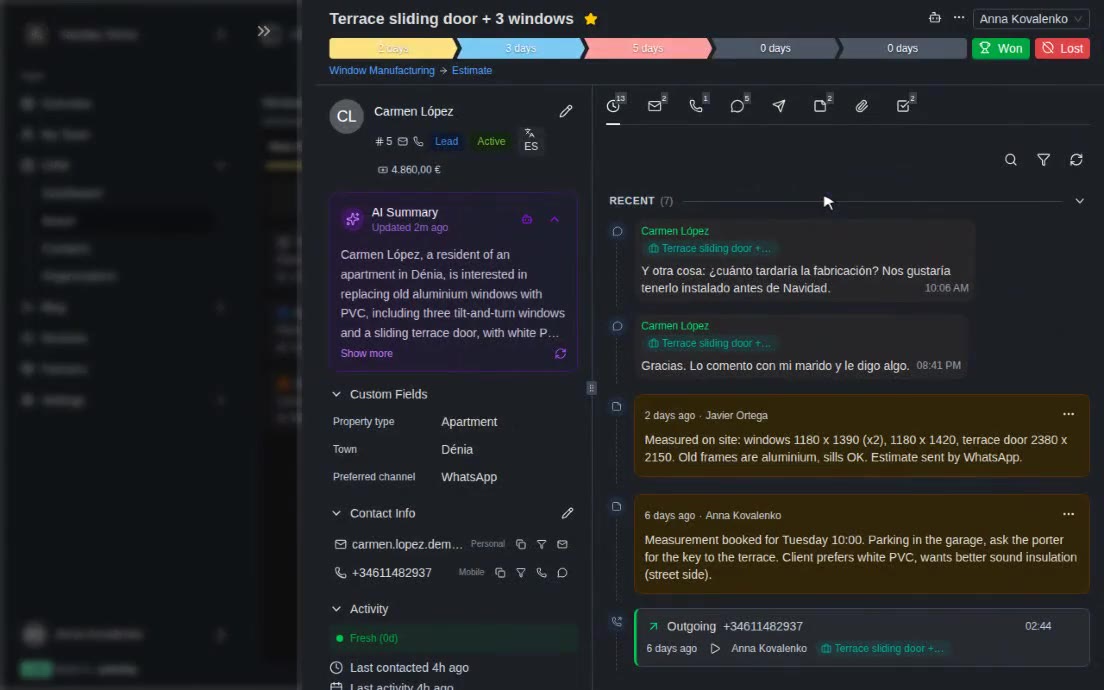
Phone calls are where deals are agreed, and where the details are lost: promises nobody wrote down, a client who was getting angry, a missed call nobody returned. In the Yatoday CRM every call lands on the deal with its recording, a transcript and an AI summary with ready-made tasks.
The Challenge
For many small companies the phone is still the main sales channel. A client calls, a manager answers, they agree on a measurement, a price, a delivery date - and all of that lives only in the manager’s memory and in an audio file that nobody will ever listen to again.
The usual result is familiar. A missed call from a new client is never returned. A colleague taking over a deal has no idea what was promised on the phone. The owner cannot tell which managers handle calls well without sitting through hours of recordings. And if a client reads out a card number, it ends up stored in a recording forever.
We connected IP telephony to the Yatoday CRM and added an AI layer on top, so every call becomes part of the deal: who called, the recording, what was said, what was agreed and what has to happen next.
A Call Becomes a Lead, with Its Recording
The CRM works with Zadarma, a cloud PBX. The company links its phone numbers to the CRM, and for each number chooses the pipeline where new callers go and whether calls should create leads.
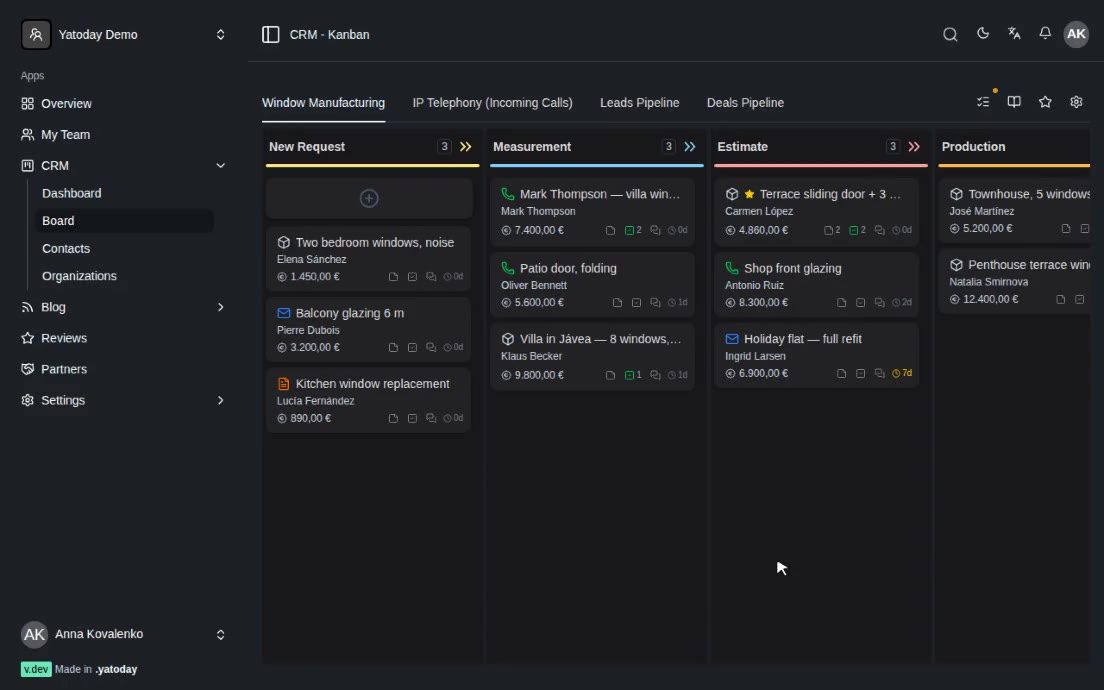
When the call starts, the CRM looks for the number among existing contacts. If the caller is new, it creates a contact, a conversation and a lead card in the chosen pipeline with “phone” as the source, and notifies the team. When someone calls again, the call is added to the existing contact and their open deal instead of creating a duplicate. A missed call adds a “missed call” note to the deal and moves it to the top, so it is the first thing a manager sees.
Outgoing calls are logged on the existing card and contact. They never create new leads, so the pipeline is not filled with numbers the company dialled itself. When Zadarma reports that the recording is ready, the CRM downloads it to its own storage and attaches it to the call on the deal’s timeline.
For companies that live on incoming calls there is a ready-made pipeline: incoming call, qualification, converted to deal, spam or not relevant.
Transcripts Split by Speaker
Once a recording is attached, an answered call is sent for transcription automatically; very short calls - under 15 seconds by default - are skipped. Speech recognition runs on Whisper models.
When the recording is stereo, the manager and the client are on separate channels, so each channel is transcribed on its own and every line is labelled correctly. For mono recordings the speakers are separated by pauses and the direction of the call. If the labels come out the wrong way round, one click swaps them, and any line can be corrected by hand.
Speech models sometimes “hear” phrases in silence or music on hold. The CRM checks the transcript for these invented fragments and removes them when there are many, and flags low-quality recordings instead of pretending they are reliable. Transcripts can also be translated, so a manager can read a call held in Spanish in their own language.
What the AI Takes from Each Call
If analysis is turned on, the transcript goes to Claude. First it decides what kind of call it was: a real conversation, a voicemail, only an automated menu, or noise. Menus and noise get a minimal record instead of an invented analysis; a voicemail gets the gist and any callback request.
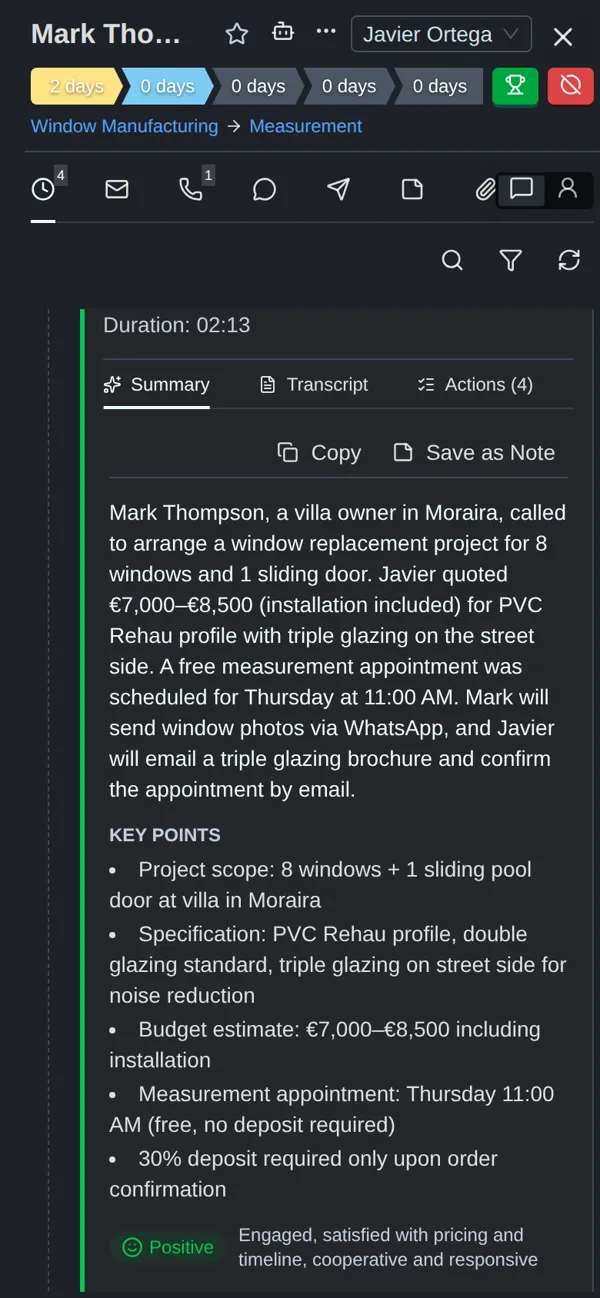
For a real conversation the AI writes:
- A summary of two to five sentences about outcomes and decisions, with names, amounts and dates.
- Key points - up to five decisions or findings.
- Action items with a priority, a deadline when one was mentioned, and a link to the moment in the call where it was said. Each one becomes a CRM task in one click.
- Mood of the call overall and separately for the manager and the client.
- Escalation risk - whether the client is close to complaining or leaving, and why.
- Facts mentioned: dates, amounts, products, companies, competitors - only what was actually said.
- Topics such as pricing, delivery or specifications.
To spell names correctly, the AI receives the company’s vocabulary: terms the company adds itself, plus names taken from the CRM, such as pipelines and client companies. The summary can be copied into a note in one click, and managers can rate an analysis.
On the deal itself, a call panel collects all of this across calls: the mood trend, the main topics, how many action items are still open, the average call length and how many calls were flagged with an escalation risk. A talk-time bar shows how much of a call the manager spoke and how much the client did.
Quality Control
Every analysed call is scored against a checklist. The default one asks whether the manager greeted the client, introduced themselves and the company, found out what the client needs, handled objections, agreed on next steps and closed the call properly. A company can replace it with its own questions.
The scores feed a leaderboard for managers and above: for the last 7, 30 or 90 days it shows each manager’s number of calls, average mood and average quality score. The owner sees where the team is strong and which calls deserve a listen, without listening to all of them.
Card Numbers and IDs Stay Out
Clients sometimes read out details that should never be stored. Before a transcript is saved, the CRM scans it and replaces bank card numbers (checked with the standard card-number checksum, so ordinary long numbers are not hit), security codes, passwords and PINs, and Spanish DNI and NIE numbers with placeholders such as “[CARD REDACTED]”. This scrubbing is on by default. Names, phones and emails are kept on purpose, because the business needs them.
The recording can be cleaned too. With audio redaction turned on, the CRM mutes the exact seconds where those details were spoken and replaces the stored file with the muted version.
Finally, each company can set how many months recordings are kept. After that, the audio is deleted from storage by a scheduled job, while the transcript and the analysis stay on the deal.
Tech Stack
- Business app: Laravel 12 + Inertia/React 19 (multi-tenant CRM)
- Telephony: Zadarma cloud PBX (webhooks for call events and recordings)
- Speech-to-text: Whisper models (OpenAI or Groq), stereo channel split
- Call analysis: Anthropic Claude (structured JSON output)
- Audio processing and redaction: FFmpeg
- Storage: S3-compatible object storage for recordings
- Database: MySQL 8, queue workers for transcription and analysis
Result
Calls stop being audio files nobody opens. Every call lands on the right deal with its recording, a transcript split by speaker and a short summary; what was promised becomes tasks in one click; a client at risk is flagged on the deal. The owner compares managers by real calls instead of impressions, and card numbers and ID numbers are kept out of both the text and the audio.