Ezeden from the Inside: Prices, Stock and B2B That Run by Rules
A store with thousands of products from several suppliers cannot be priced and stocked by hand, and one wrong figure from a supplier file can sell goods at a loss. The Ezeden hub turns prices, stock, accessories and B2B terms into rules that a manager sets once and checks before they apply.

The Challenge
Ezeden sells thousands of products from many suppliers, and the prices and stock of a catalogue that size cannot be kept by hand. Purchase prices arrive in euros, dollars and hryvnias, supplier files sometimes contain mistakes, and a supplier’s stock lags behind reality. Companies want their own prices and a proper quote. The goal was a system where the owner sets the policy once - markup, rounding, how much stock to hold back - and the software applies it to every product, while anything unusual stops and waits for a person.
Prices: Rules Instead of Spreadsheets
Markup is set by rules. A rule applies to the whole catalog, a brand, a category with its subcategories, a supplier, a purchase-price range, a variant group or a single product, and its formula is a percentage, a fixed amount or a minimum margin. When several rules match, the higher priority wins; at equal priority the narrower rule wins.
Each sales channel - the storefront, each marketplace - adds its own adjustment percentage. The National Bank of Ukraine exchange rate is fetched daily, with an optional coefficient on top, and a manual rate can be entered at any time. Prices can be left unrounded or rounded to whole hryvnias, to .99 or to the nearest ten - as a default and per rule.
Before a rule is saved, a preview lists every product it would touch with the current and proposed price. On each product, the Pricing tab answers why this price: which rule, which rate, which channel adjustment, step by step. Every change is in the product’s history with its author: a rule, a rate, a manager or a supplier file.
Holds on Suspicious Jumps
If a price would change by more than a set threshold - 30% by default - the change is not applied. It waits in a queue with the old and the proposed value until a manager confirms or rejects it. This catches a broken supplier file, a typo in a rule and a sudden rate move alike; a rate that jumps too far is held the same way. A manager can also set a price by hand and lock it against rules and rates.
Promotions with an Honest Old Price
A promotion has a price and dates, for all channels or one, and the storefront shows a countdown. The struck-through price is the lowest public price of the 30 days before the promotion began, shown again under the price as “previous price”. A price raised shortly before a cut does not count as a reduction, so nothing is struck through. A promotion is dated from the day it started, even if its hryvnia figure moves with the euro rate afterwards, so a 25% sale keeps showing as 25%.
Stock: a Ledger, Not a Number
The hub keeps a ledger: the last figure the source sent, plus every movement since - receipts, write-offs, returns, reservations. What can be sold is physical stock minus active reservations.
Placing an order reserves the goods at once. Shipping uses the reservation, cancelling releases it, and an unpaid online order releases it automatically after a set number of hours.
Each channel can keep its own buffer, holding back a fixed quantity or a percentage, and has a threshold below which it treats the product as having none. The cart check and the order reservation follow the same rule, so a customer can never order more than the channel may sell. A safety stop guards the import: if a source suddenly sends zero for a large share of products, the import is held instead of emptying the store.
Every product is in one of five states: in stock; expected (none now, but the shop keeps it in stock as a rule); to order (none, but it can be ordered from the maker); out of stock; and discontinued. Whether a product can be ordered is set once per supplier or brand, with only the exceptions marked on products. A discontinued model shows its analogues instead of a “Buy” button.
Compatible Accessories from Specifications
The links between products and their accessories are built by rules, not typed by hand. A rule reads like a sentence: products in this scope fit products in that scope when these characteristics agree - share a value, are not less, not greater, or differ by no more than a tolerance. Units are converted, so millimetres and centimetres compare correctly, and a rule that compares incompatible things is refused when it is saved.
The links are rebuilt every night, and a preview shows what a rule would match for one SKU. Links made by a manager are never overwritten, and a generated pair the manager disagrees with can be struck out for good. Products a rule cannot decide because a value is missing go to a queue; as an option that is off by default, AI can read the manufacturer’s documents for those facts, but its findings wait for a manager and it never decides what fits what.
A Portal for Business Customers
A customer can have personal prices: they can belong to a price group - dealer, partner and so on - and have individual terms on a brand, a category or a product. The most specific term applies, never above the public price. The storefront labels it “Your price”, and the same figure reaches the cart and the order.
A company account works as an organisation with its legal details, delivery addresses and people with roles: an owner who manages the company card, a buyer who places orders, and a viewer who only sees the history.
A customer can request a quote from the cart, or a manager writes one in the admin. Each issue is a frozen version with a validity date and its own PDF. The customer accepts or rejects it in their account, and an accepted quote becomes an order at the quoted prices. If stock is short at that moment, the quote stays accepted with the shortfall noted and waits in the manager’s queue until the goods arrive.
Nobody Has to Watch It
Health checks run every five minutes: database, queues, failed jobs, connectors, import delays, disk space, search, the storefront and backups. A problem opens an alert by email and Telegram, a worse one escalates, and a recovery is announced. Each team member connects their own Telegram chats in a couple of clicks and chooses what to receive - new orders, import reports, alerts, a morning summary - and can limit it to business hours; anything outside them is held, not lost.
The database and the original photos and documents are copied every night to separate object storage and kept for at least 30 days. A restore test runs every quarter in a scratch copy without touching the live store, and a restore can be started from the admin screen and undone.
A Workspace for Managers
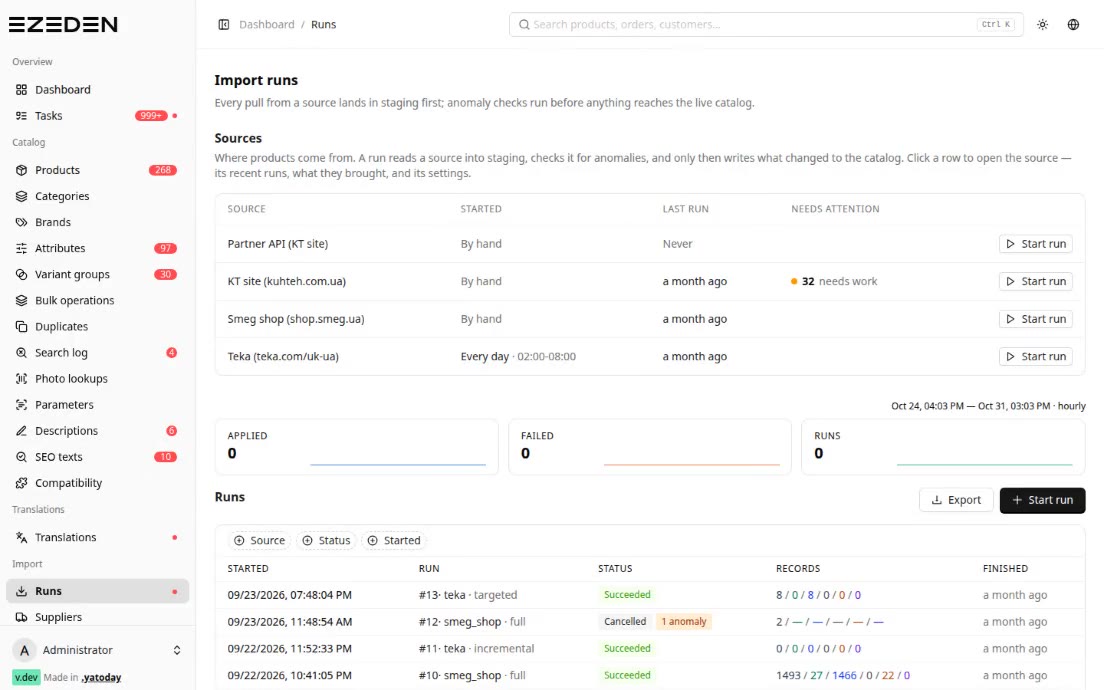
The dashboard shows only the task queues with something waiting - price holds, new orders, failed payments, reviews, translations, held imports - and each role sees only its own. Every admin table is live: when an import, a background job or another manager changes something, every open screen showing that data updates itself. One search field finds orders, products, customers and quotes, answering only from screens the person may open. Every change is in the history with its author, and a whole import or bulk edit can be rolled back.
Tech Stack
- Hub: Laravel 13 + Inertia + React 19 + Ant Design
- Storefront: Laravel 13 + Inertia + React 19, server-side rendering
- Data: MySQL 8.4, Redis 7
- Background work: Laravel Horizon (queues), Reverb (live admin screens)
- Integrations: National Bank of Ukraine rates, Telegram bot, S3-compatible backup storage
- Infrastructure: Docker Compose, GitLab CI/CD
Result
Pricing, stock, accessories and business terms are rules the owner can read and change without a developer, and every price on the site can be explained step by step. Unusual changes stop and wait for a person instead of reaching customers. Business customers get their own prices and proper quotes, and the team learns about problems from Telegram rather than from customers.